Anaphora 0.17: AI triage, observer keys and single sign-on admins

Anaphora 0.17 adds an AI template job that decides when to page you, API keys for monitors, and the system role for single sign-on users. It also makes SAML and OIDC sign-in stricter. Some changes can stop a login that worked before. Read "Before you upgrade" before you install it.
Kibana AI Triage
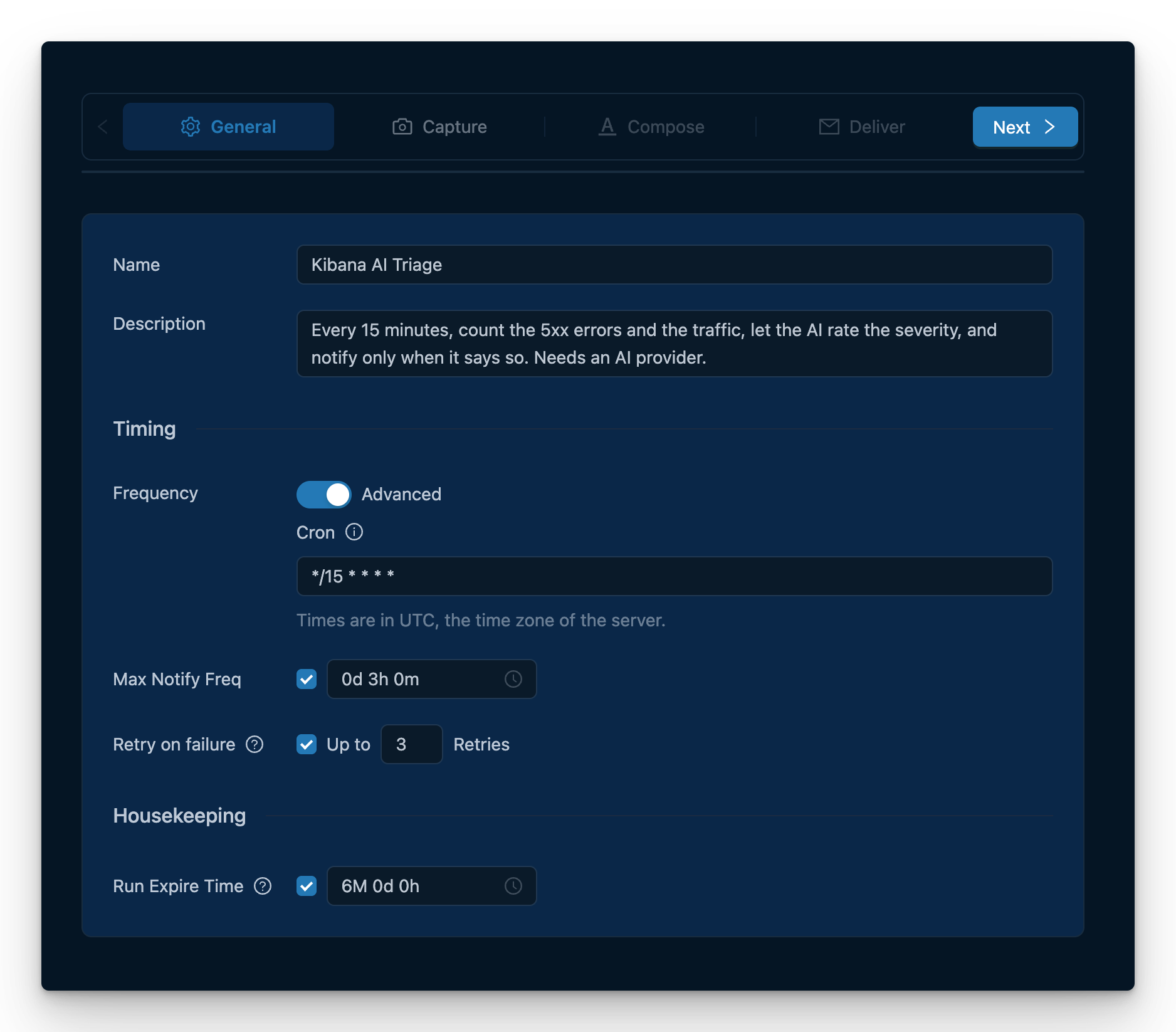
This is a new built-in template. It counts the 5xx errors and the traffic in the last hour and in the hour before. Then it captures the overview dashboard and asks the AI provider for a severity from 0 to 10. More load is not a failure, but a source that stops sending data is. If the severity is below 7, the run stops and Anaphora sends no notification. At 7 or more, a second AI action writes a briefing to go with the report.
An if can now test a number that an AI action returns, such as "Severity: 7" or "7/10". If the answer does not contain exactly one number, the run fails. A branch never runs on an answer that Anaphora cannot read.
Observer keys for monitors
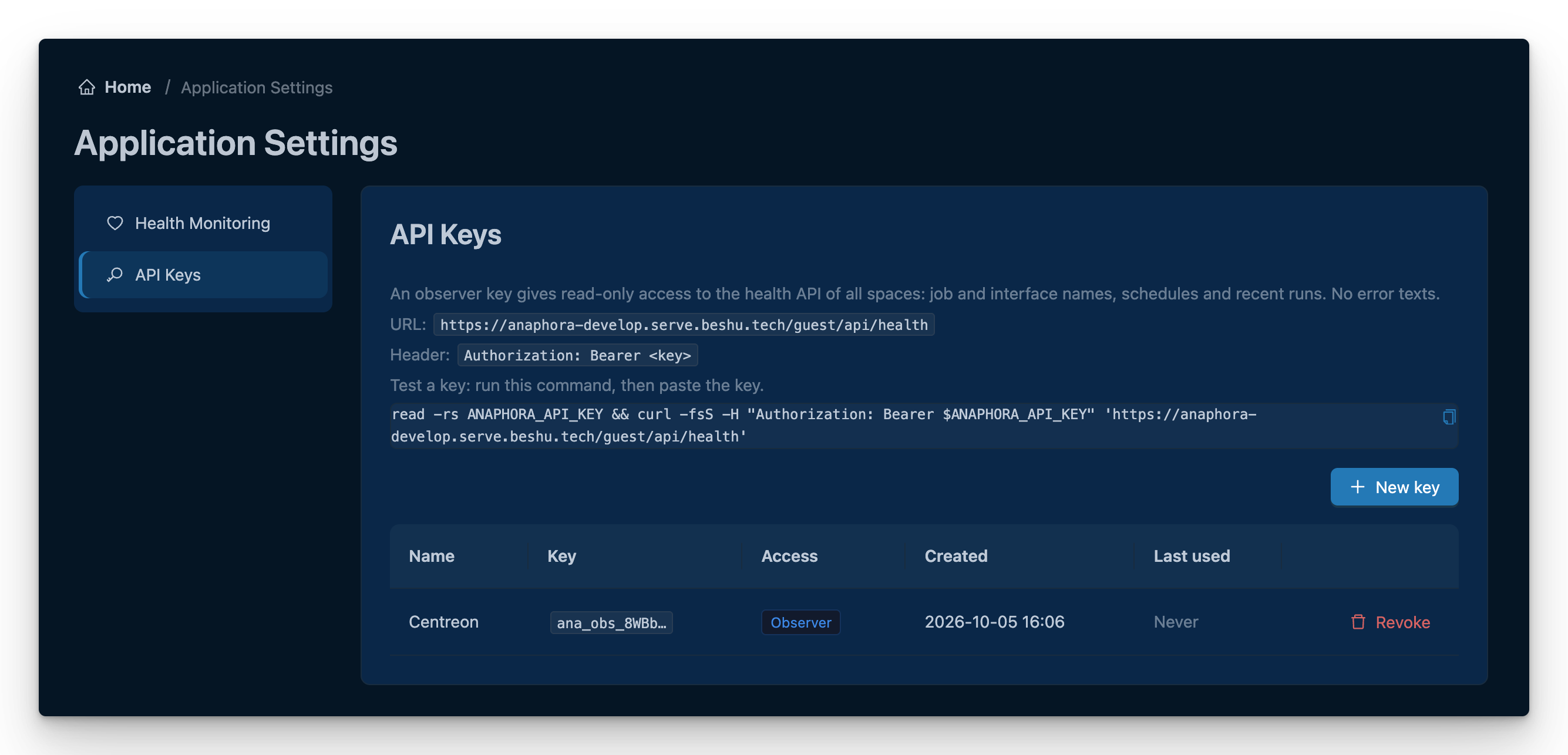
Settings > Application > API Keys creates an observer key. A monitor sends it to /guest/api/health as Authorization: Bearer <key>. With the key, the monitor gets each job and delivery interface by name, with its schedule, recent runs and the delivery counts for the last 24 hours. Error texts are not included, because they can quote captured data. Before, the monitor needed the password of a system user to get the names.
Anaphora shows the key one time and keeps only a hash of it. The key list shows when each key was last used, and you can revoke a key there. A revoked or incorrect key gets 401, so the monitor alerts. Anaphora does not read a key in the query string. The page also gives a ready curl command to test the key.
Single sign-on users can be administrators
A user who signs in with OIDC, SAML or LDAP gets the system role when one of their groups is in the system groups for that method. You set these in OIDC_SYSTEM_GROUPS or in Settings > System > Auth. Group names must match fully, with the same case. Use a name that is unique at the provider.
Licence
When a licence expires, Anaphora applies Free within one hour.
When a paid licence ends, only administrators can sign in. Anaphora signs out all other users and the login page tells them why. An administrator can renew the key, or give the system role to the users who must continue to work.
When you upgrade from Free, each user gets the role saved for them. Users who were on Free before 0.17 are saved as System. Set the role of each user after the upgrade.
Sign-in and security
SAML and OIDC follow the rules of ReadonlyREST: SAML checks the Audience, logouts that the identity provider starts must be signed, and logins that start at the identity provider's portal are refused.
OIDC checks the TLS certificate of the issuer on every address, including localhost and IP addresses.
Anaphora refuses an LDAP configuration that cannot work when it starts, and the settings page shows the reason.
An LDAP login stops after 10 seconds if it gets no response. When an LDAP login fails, Anaphora shows a reference that your administrator can find in the logs.
Logins from other sites are refused, and the limit on failed logins can no longer be bypassed.
A regex space permission can match the whole name (
^$) or any part (~).Next.js 16.3.8 fixes a critical remote code execution, and other dependencies get their security updates.
Fixes
A failed sign-in at the provider goes back to the login page instead of an error 500.
The login page works behind proxies that have small header limits.
When the licence refuses a save, the message tells you which limit you reached.
If the database is busy for a moment, the licence stays as it was.
Licence end dates are given in UTC.
Before you upgrade
Read the items for the sign-in methods that you use. Each item tells you what can stop working and what to do.
LDAP
Anaphora now refuses LDAP settings that cannot work, and LDAP login then stops. In Settings > System > Auth > LDAP, make sure that the user filter contains
{{username}}, that each filter is valid, and that the CA certificate is a valid PEM file.A space permission by user name no longer matches the email address of the user (
mail,proxyAddresses,otherMailbox). If a permission uses an email address, change it to the login name.
SAML
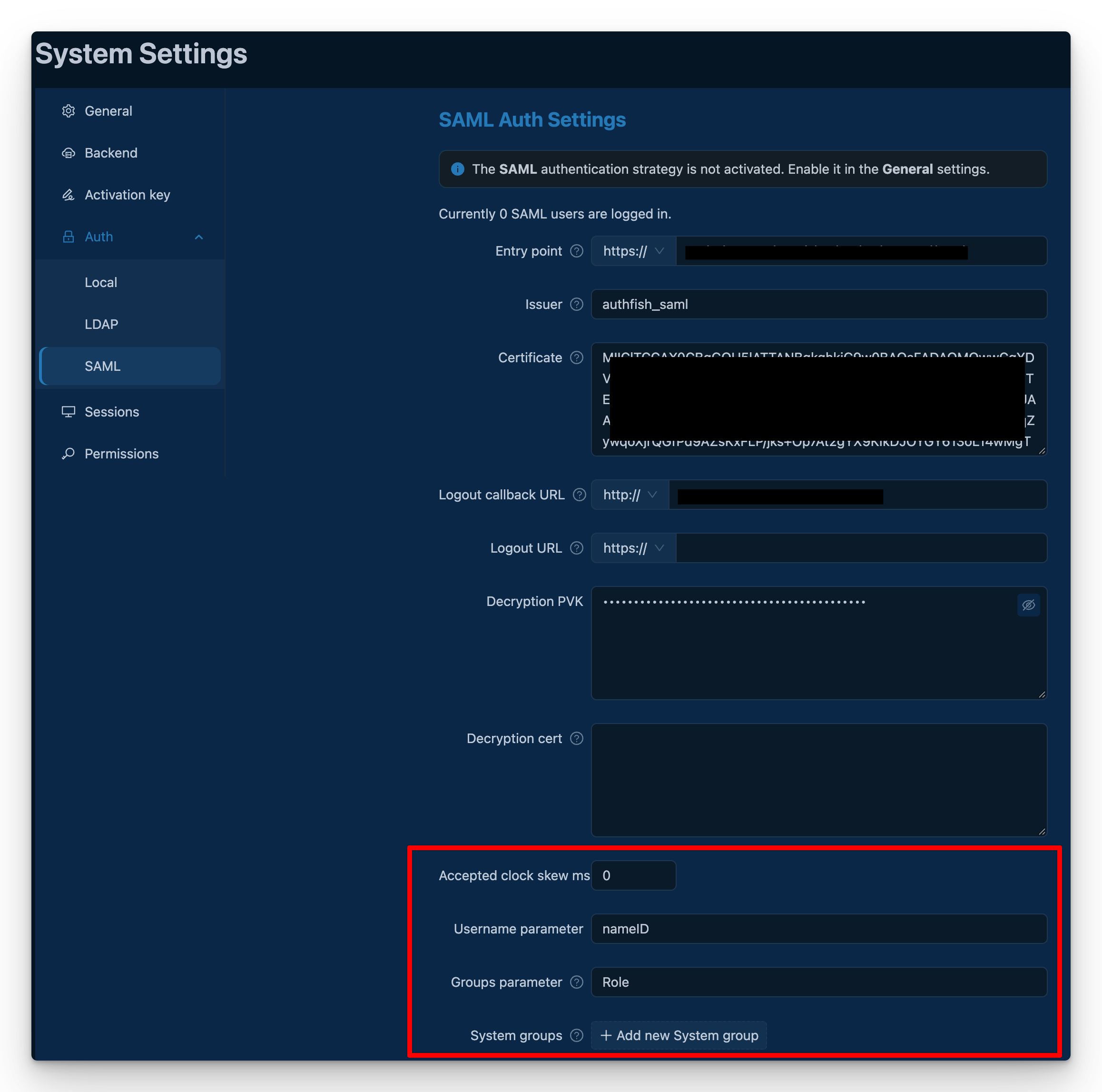
If your identity provider sends a different Audience, or no Audience, all logins fail. Set
extraConfig.audienceto the value that the provider sends.A login that starts at the portal of the identity provider fails. Users must start at the Anaphora login page.
A logout that the identity provider starts must be signed. If it is not signed, the Anaphora session stays open. In Keycloak, turn on "Sign documents" in the client.
Anaphora now checks the time of each SAML assertion. If the clock of the Anaphora server is behind the clock of the provider, logins fail with "SAML assertion not yet valid". Synchronize the clocks, or set
accepted_clock_skew_ms.
OIDC
If
OIDC_ISSUER(orOIDC_INTERNAL_ISSUER) is an https URL on an IP address or on localhost, its certificate must name that address and come from a trusted CA. If not, OIDC login stops. SetOIDC_TLS_CA_CERTto your CA certificate (PEM). OIDC that you set in the settings page needs no action.
Roles and permissions
Users can get more roles than before. SAML users get all their roles, not only the first. LDAP users get each name of a group that has several names. Make sure that your space permissions do not give these roles too much access.
If this install ran on Free before, all local users have the System role. After you activate Pro or Enterprise, set the correct role of each user in Settings.
If you set a regex permission to match the whole name (
^$), do not go back to 0.16 or earlier. Older versions ignore this setting, and the permission matches any part of the name again.
Scripts
Anaphora now refuses (400) a URL path that contains
.or..segments or a backslash. If a script builds URLs by hand, it must send the resolved path.
The full list of changes is in the changelog.
